Who it's for
Properties
Rental rooms, guesthouses and small hotels where the owner or the staff handle bookings themselves.
StaySnap · by Lime Up
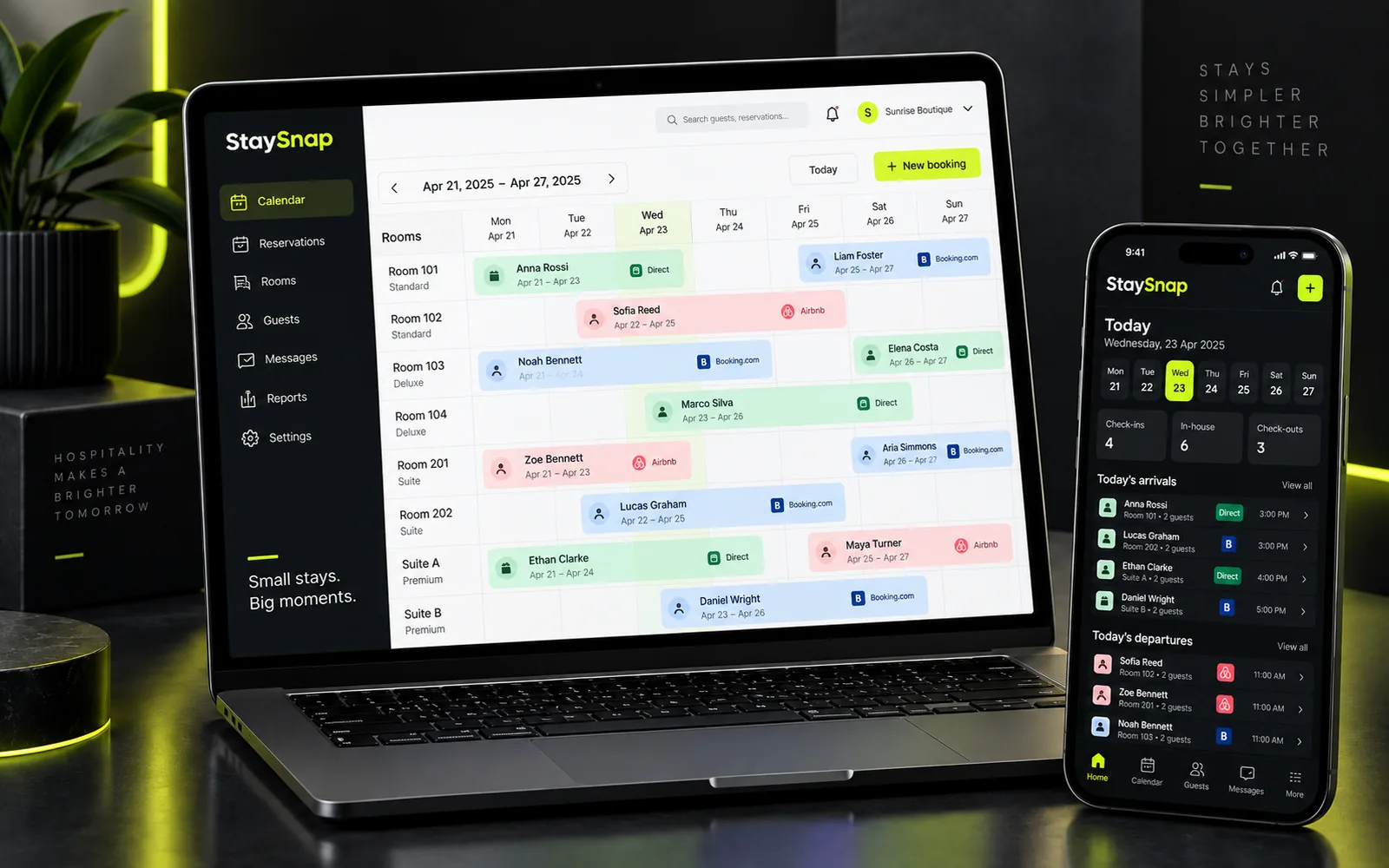
StaySnap is booking management software for rental rooms, guesthouses and small hotels. Open it on your phone or computer and see who is arriving, who is leaving, what has been paid and what needs doing today. It is simple to use, even for people who aren't comfortable with technology, and it is configured to your property. It was designed and tested in a real property, not in theory.
What changes in practice
It was designed so the owner can run it from a phone, in between the rest of the day's work.
| Without StaySnap | With StaySnap |
|---|---|
| I search the spreadsheet or the notebook | I open the app on my phone or computer |
| A guest calls and I don't have all the details | I enter name, dates, room. The rest later |
| I can't remember who paid a deposit | I see total, payments received and balance on every booking |
| I count by hand when the sheets need changing | The app tells me when it's needed |
| Someone told me something broke and I forgot | I log it as a maintenance issue on the room |
| To change rooms I delete and rewrite | I move the booking. It stays one booking, with its payments |
Everything below exists in the app today.
A name, dates and a room are enough to enter a booking. Phone, email, price and notes can be added when you know them. If you don't know the amount yet, it stays "unknown"; it isn't recorded as zero.
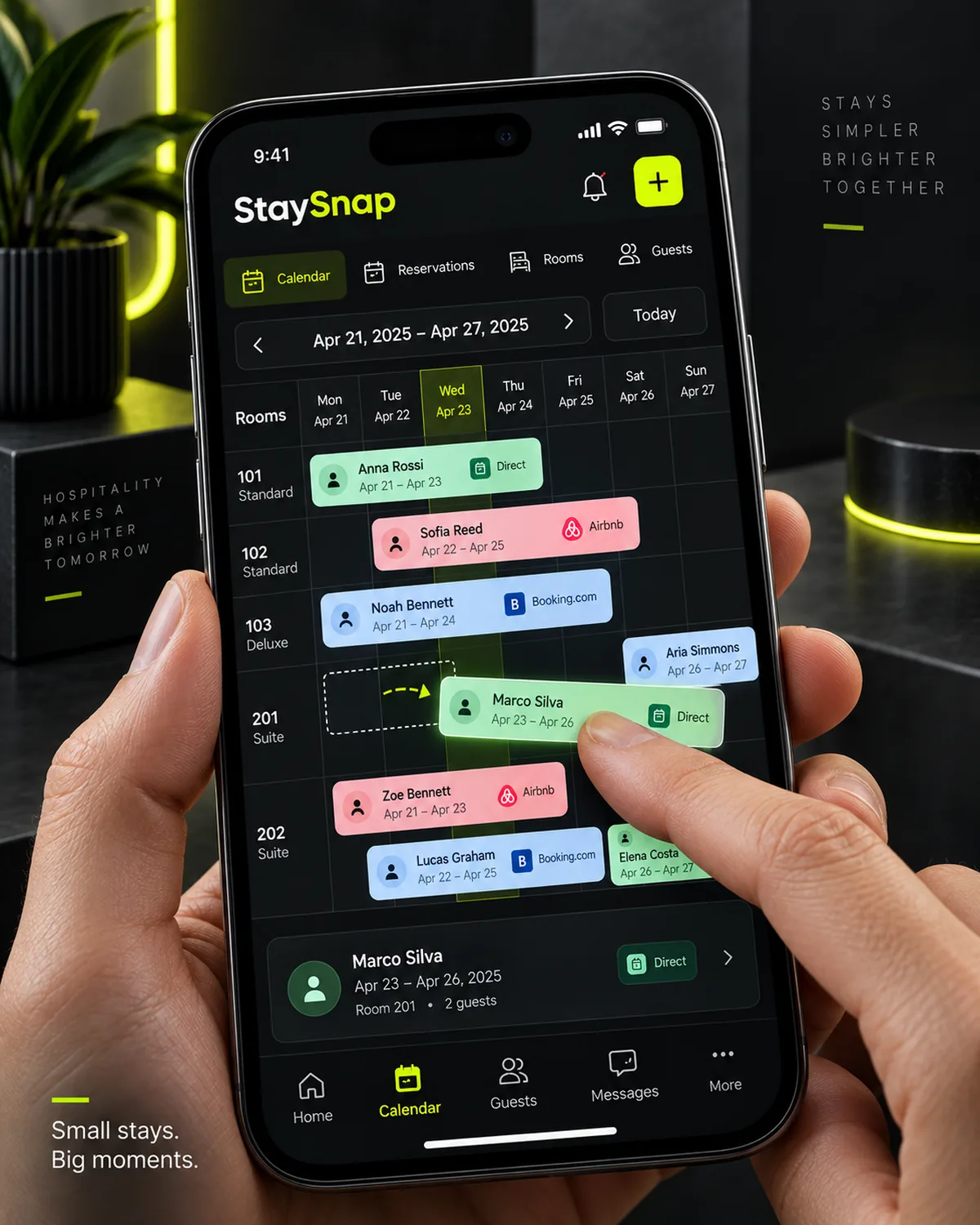
One row per room, one column per day. Each stay shows as a bar across its dates.
Press and hold a stay and drag it with your finger to the new room or dates. Before the change you see where it moves from and to. The booking and its payments remain one.
Enter dates and number of guests and see which rooms are free for the whole period.
Every booking has a total, payments received and a balance. Each payment is recorded with amount, method and date.
On cancellation the app asks for the reason and what happens to the money: nothing, a full or partial refund, keeping the deposit, or settling later.
Pick a day, today or in two weeks, and see only that day.
For long stays the app schedules when sheets and towels need changing: every 3 days, or as often as you set for the booking.
"The air conditioning in room 3 is broken." The issue is logged on the room, with a category and priority, and isn't forgotten.
A group is one booking with several rooms, one lead guest and a shared account. Each guest has a booking history; you link it whenever you like, not necessarily at booking time.
Three sections: Stays, Cash, Cancellations. By month, year or any period you like, with a comparison of two periods, e.g. August 2026 with August 2025.
Owner and staff see the same up-to-date picture, each with their own account. The owner decides who has access.
Availability
StaySnap was designed inside a real property. We set it up with you and adapt it to your day-to-day work.
Properties
Rental rooms, guesthouses and small hotels where the owner or the staff handle bookings themselves.
Set-up and support
We set up your rooms, adapt the app to your needs, show it to you and your staff, and stay available throughout the season.
Written terms
Before we start, we agree duration, cost and set-up in writing. Anything that needs adjusting along the way, we discuss with you.
Honestly
Better to know before than to find out after. We don't charge for what is still being prepared as if it existed.
StaySnap's price is not final yet. Duration, cost and set-up are agreed in writing before we start. It can be combined with the Accommodation Package, together with a website and Google Business Profile.
No. It opens in the browser on a phone, tablet or computer. If you like, you add it to your home screen and it opens from an icon like a regular app. It needs an internet connection: it doesn't work offline.
Yes. Each person has their own account, and you decide who has access. When a staff member updates a booking or marks that the linen change is done, you see it too.
Calendar sync (iCal) with Booking.com and Airbnb is being prepared as an optional feature. Until then, bookings from the platforms are entered into StaySnap manually. See also our guide to iCal.
There is no automatic import from a file. During set-up we agree together how the bookings you already have for the season will be transferred and how long it will take.
Yes, in Greek and English. You talk directly to the team that builds StaySnap.
Yes. Rooms, partner properties, payment methods, linen change frequency, staff access and display are set up for your property. We discuss exactly what you need during set-up.
Book a short demo by video call. We show you the app with sample data and discuss whether it fits your property.
or call +30 697 998 9881
or see the Accommodation Package